




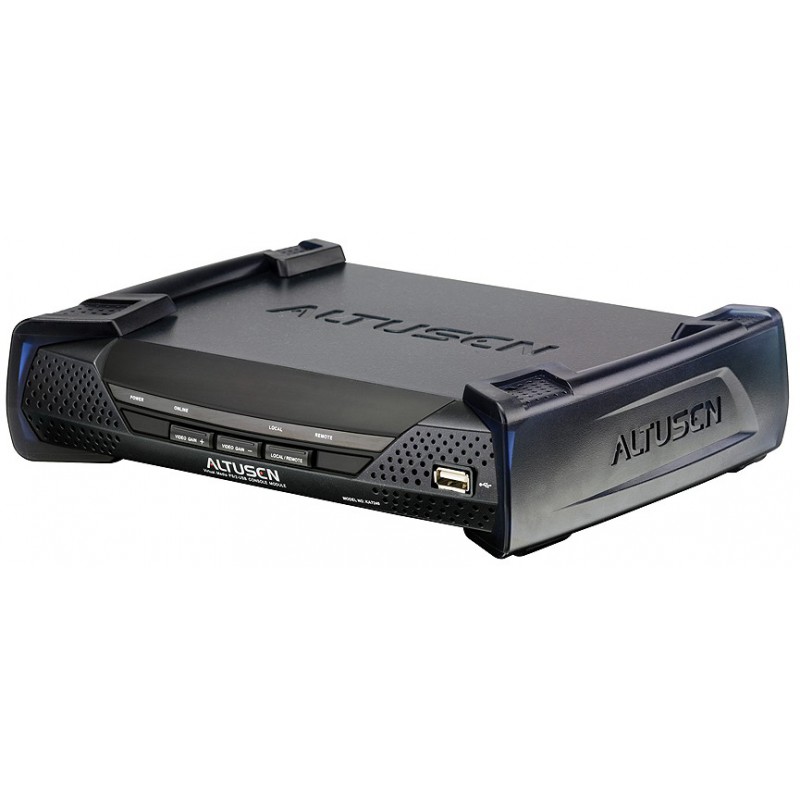
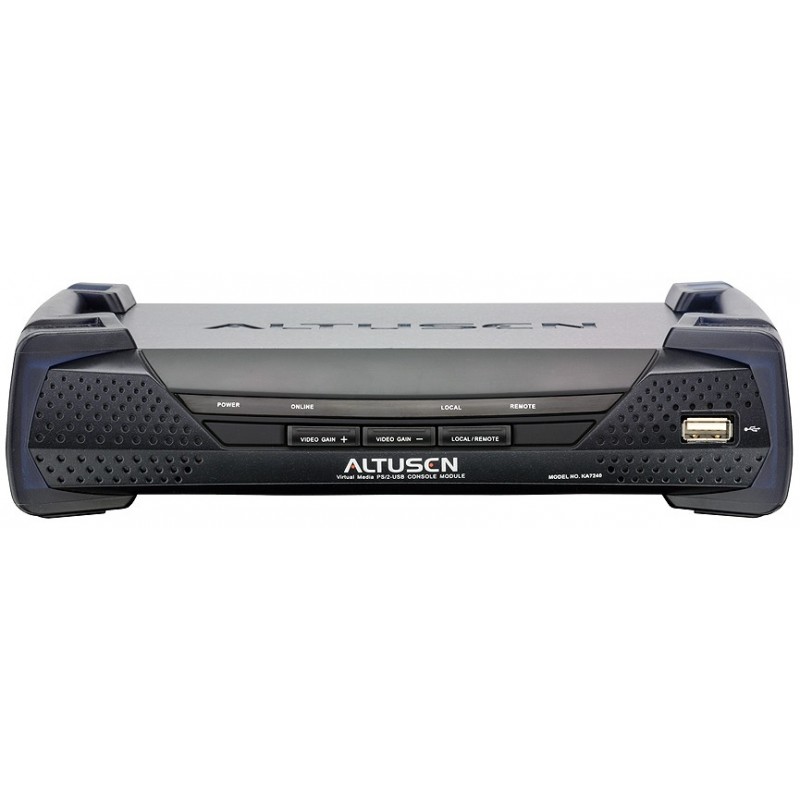


Altusen Console with Matrix KVM
KA7240
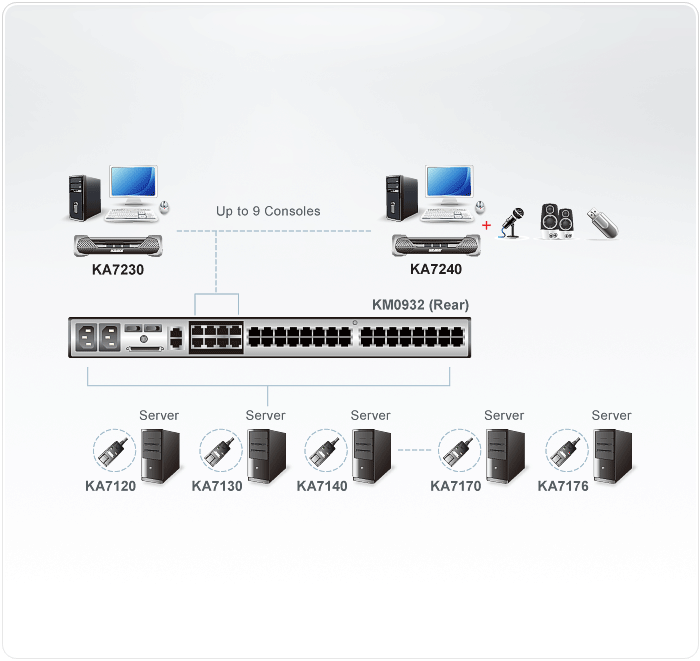
Console Module สำหรับเชื่อมต่อกับ Matrix KVM Switch (KM0932/KM0532)
ใช้สาย UTP Cat-5 ระยะสูงสุด 300m. built-in RS-232 port. Virtual Media Support
รับประกัน 3 ปีเต็ม





Virtual Media PS/2-USB Console Module
The KA7240 Console Module offers secure access to the servers in a Matrix KVM Switch (KM0932/KM0532) from a PS/2 or USB console (monitor, keyboard, and mouse) up to 300 meters away. It provides an extra computer port for integration with a computer workstation, enabling users to seamlessly switch between the local computer and the servers in the Matrix KVM Switch. The KA7240 also features an intuitive graphical user interface, the Graphical OSD, with easy-to-use menus and icons that enable easy access and efficient management.
KA7240 has a built-in RS-232 port. Administrators can establish a serial terminal login to the Console Module in order to control the KVM port access for all consoles connected to switch – any console can be assigned to access any KVM port from a single interface point. In addition, an automatic skew compensation function corrects color phase and timing errors that occur over long distance transmissions.
คุณสมบัติ
- One Combo Graphic Console Module can control a local computer and a matrix KVM switch (KM0932/KM0532)
- Virtual Media Support
- Audio enabled
- Enhanced video quality via automatic skew compensation support
- Supports PS/2 and USB keyboards and mice(Console)
- Switch between your workstation computer and the matrix KVM switch
- Graphical OSD-intuitive, easy-to-use graphical On Screen Display to manage servers
- RS-232 port login support permits an administrator to control the KVM port access for all consoles connected to switch – any console can be assigned to access any KVM port from a single interface point
- Connects to matrix KVM switch via Cat 5e/6 cable
- Superior video quality – 1280 x 1024 @ 60 Hz for up to 300 m
- Manual video gain control for fine tuning
- Convenient computer selection via intuitive hotkey combinations or graphical OSD menus
- Firmware upgradeable
Console Module อุปกรณ์ประกอบ ที่ต้องใช้ร่วมกัน สำหรับต่อคอนโซล (จอ, คีย์บอร์ด, เมาส์)
ผังการต่อ
ข้อมูลจำเพาะ
| Computer Connections | 2 (KVM Port), 1 (Local Computer) | ||
| Console Connections | 1 | ||
| Port Selection | GUI, Hotkey | ||
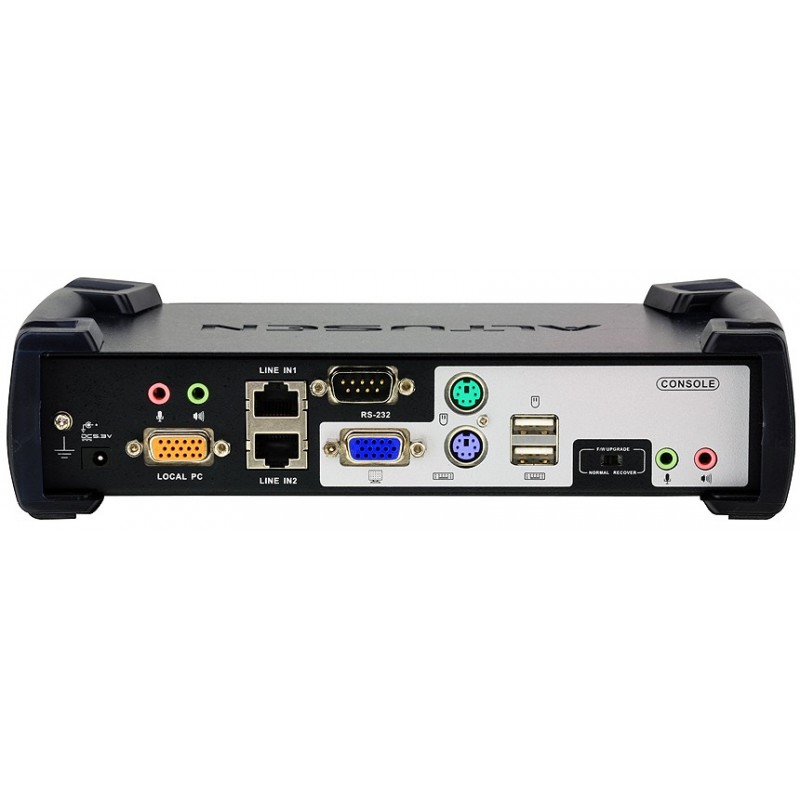
| Connectors | Console Port | Keyboard | 1 x USB Type A Female (White) 1 x 6-pin Mini-DIN Female (Purple) |
| Video | 1 x HDB-15 Female (Blue) | ||
| Mouse | 1 x USB Type A Female (White) 1 x 6-pin Mini-DIN Female (Green) |
||
| Local Computer KVM Port |
1 x SPHD-17 Female (Yellow) | ||
| USB virtual media 2.0 port | 1 x USB Type A Female (White) | ||
| KVM Switch Ports | 2 x RJ-45 Female | ||
| RS-232 | 1 x DB-9 Male (Black) | ||
| Audio | 2 x Mini Stereo Jack Female (Green) 2 x Mini Stereo Jacks Female (Pink) |
||
| Power | 1 x DC Jack | ||
| Switches | Local/Remote | 1 x Pushbutton | |
| F/W Upgrade | 1 x Slide | ||
| Video Gain Adjustment | 2 x Pushbutton | ||
| LEDs | Power | 1 (Blue) | |
| Online | 1 (Green) | ||
| Local | 1 (Orange) | ||
| Remote | 1 (Orange) | ||
| Emulation | Keyboard / Mouse | PS/2; USB (PC, Sun, Mac) | |
| Video | 1280 x 1024 @ 60Hz (300m max.) |
||
| Scan Interval | 1-240 Seconds | ||
| Power Consumption | DC5.3V, 10.12W | ||
| Environment | Operating Temperature | 0 - 50°C | |
| Storage Temperature | -20 - 60°C | ||
| Humidity | 0-80% RH, Non-condensing | ||
| Physical Properties | Housing | Metal | |
| Weight | 1.26 kg | ||
| Dimensions ( L x W x H ) |
17.15 x 22.71 x 5.48 cm (including stacking bracket) |
||
* The specification and pictures are subject to change without notice.
* All trademarks and logos are the properties of their respective holders.
อุปกรณ์ในกล่อง
- 1x KA7240 Virtual Media PS/2-USB Console Module with stacking brackets
- 1x KVM Cable
- 1x Power Adapter
- 1x RS-232 Cable (DB-9F to DB9-F)
- 1x Grounding Wire
- 1x Rack Mount Kit
- 1x User Guide
ขอบพระคุณทุกความไว้วางใจ
สินค้าใกล้เคียง
-
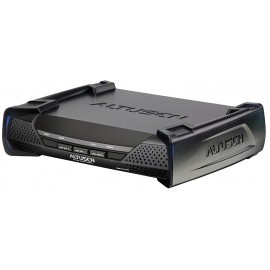
Model : KA7230
30 other products in the same category:
-
4K HDMI Single..
-
4K HDMI Single..
-
USB DVI-D Single..
-
DVI-I Dual Display..
-
DVI-I Dual Display..
-
4K DisplayPort..
-
4K DisplayPort..
-
DisplayPort Single..
-
Altusen PS/2-USB..
-
Computer modules..
-
Computer modules..
-
USB DisplayPort..
-
USB HDMI Virtual..
-
DisplayPort USB..
-
HDMI USB Virtual..
-
DVI USB Virtual..
-
USB-PS/2 KVM..
-
Altusen cat-5 usb..
-
Dual Output USB..
-
USB Virtual Media..
-
Altusen USB KVM..
-
Altusen cat-5 USB..
-
Altusen cat-5 PS/2..
-
Console modules..
-
User modules for..
-
Altusen cat-5..
-
Altusen cat-5 usb..
-
USB KVM Adapter..
-
USB KVM Adapter..
-
Altusen Cat 5 KVM..